1 Ultimate Free Aspect Ratio Cropper: Perfect Square
Fix distorted emotes. Instantly auto-pad wide or tall images into a perfect 1:1 square canvas without losing original image detail.
Square Cropper
1:1 ratio padding without distortion.
Why Every Creator Needs an Aspect Ratio Cropper
If you have ever tried to upload a beautiful custom emote, sub badge, or server icon to a major platform like Twitch, Kick, or Discord, you have likely encountered the most infuriating roadblock in the creator ecosystem: the dreaded "Aspect Ratio Error." This occurs when your image is not a perfect mathematical square. To bypass this restriction instantly and preserve your original art, utilizing a dedicated Aspect Ratio Cropper is an absolute necessity.
When artists draw characters, they naturally draw them in varying shapes. A long sword or a wide text logo does not naturally fit into a square box. If you attempt to upload an image that is 500 pixels wide by 400 pixels tall, the ingestion server will either reject the file outright or automatically compress and squish it to force it into a square. This forced squishing entirely ruins the proportions of your artwork, making text unreadable and faces look bizarre. An Aspect Ratio Cropper intercepts this failure.
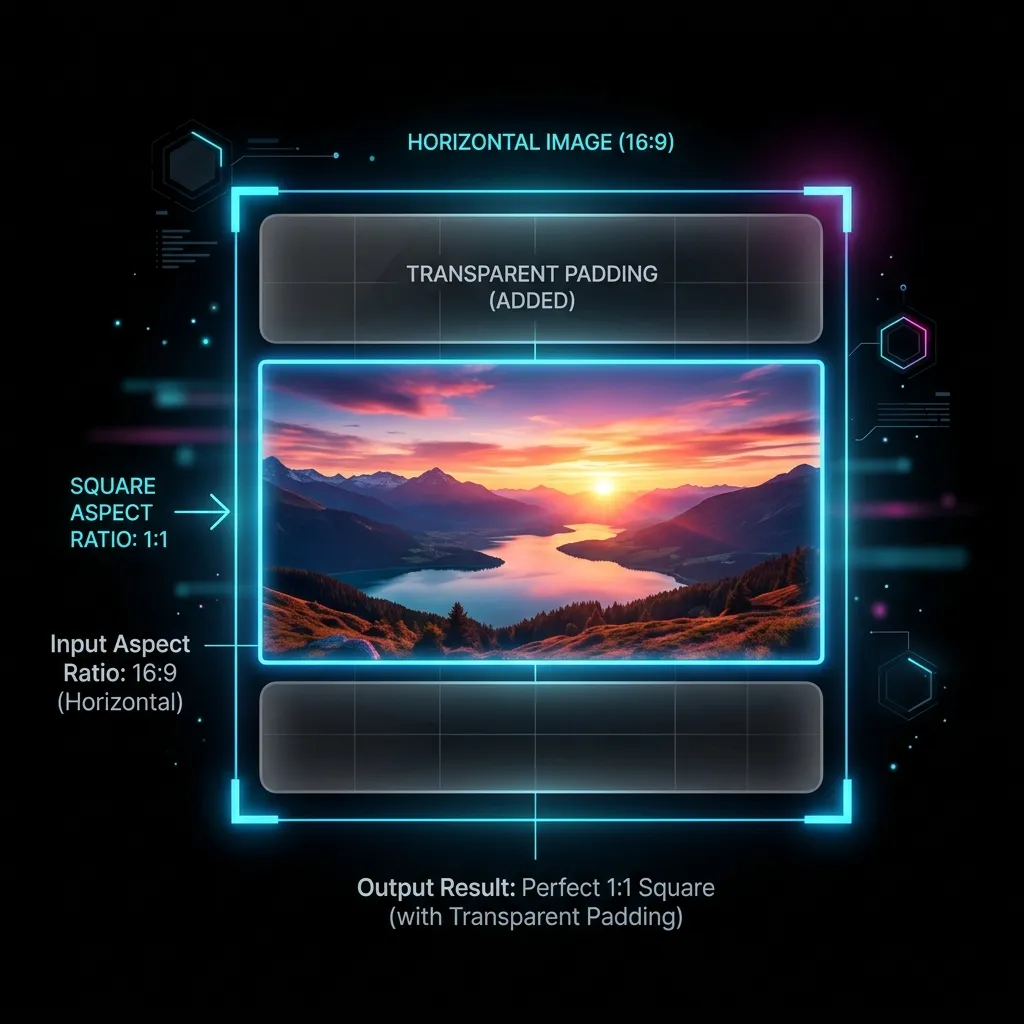
Our free, browser-native Aspect Ratio Cropper resolves this critical issue without destroying your image. Instead of chopping off the sides of your art (destructive cropping) or stretching it (destructive scaling), our tool intelligently adds completely invisible, transparent padding around the shorter edges. This creates a perfectly squared bounding box while keeping your core artwork 100% intact.
Understanding the 1:1 Requirement
Why do platforms demand a 1:1 aspect ratio? It comes down to User Interface (UI) design constraints. In a rapidly scrolling Twitch chat or a crowded Discord channel, emotes must be displayed in a uniform grid. If users were allowed to upload towering vertical images or massively wide horizontal banners, it would entirely break the CSS layout of the chat interface. By enforcing a strict square limit, platforms guarantee visual consistency. Utilizing an Aspect Ratio Cropper allows you to play by their rules without sacrificing your creative vision.
However, demanding that every piece of art be drawn as a square is fundamentally restrictive to the artist. If you are drawing a long magic wand, forcing it to fill a square box means drawing unnecessary background elements. By instead drawing the wand naturally and running it through an Aspect Ratio Cropper, you maintain the clean, isolated design while appeasing the platform's rigid upload requirements.
How Our Free Aspect Ratio Cropper Works
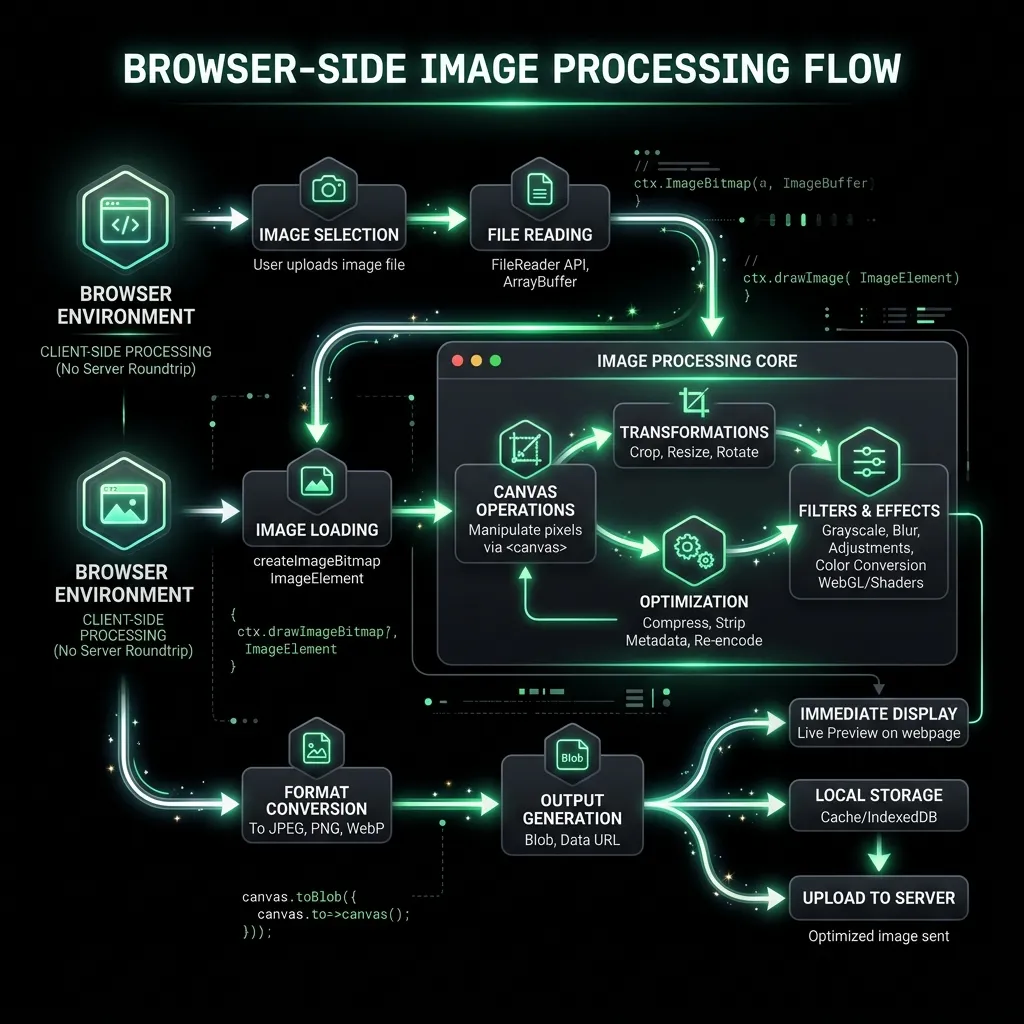
Our Aspect Ratio Cropper is engineered entirely in the browser using the HTML5 Canvas API. This means your private, unreleased subscriber artwork is never uploaded to an external server or corporate database. It processes your sensitive files securely on your local machine's hardware, guaranteeing absolute privacy.
When you drag an image into the tool, the software mathematically compares the width against the height. If the image is 600 pixels wide and 400 pixels tall, the Aspect Ratio Cropper instantly calculates the difference (200 pixels). It then dynamically generates a new, perfectly transparent 600x600 canvas and centers your original image perfectly within it. This creates a flawless 1:1 aspect ratio in less than a millisecond.
Destructive Cropping vs Transparent Padding
To truly understand the power of our Aspect Ratio Cropper, you must understand the difference between traditional "cropping" and intelligent "padding." Most default photo applications on your smartphone only offer destructive cropping, which is incredibly harmful to digital art assets.
The Problem with Traditional Cropping
If you use a basic tool to force a wide 16:9 image into a 1:1 square, the software will literally slice off the left and right sides of your image. If your emote features text that spans the entire width, traditional cropping will cut off the first and last letters, completely ruining the punchline of the meme. This is why a standard photo editor is useless for streaming assets, and why a specialized Aspect Ratio Cropper is required.
The Solution: Non-Destructive Transparent Padding
Our Aspect Ratio Cropper utilizes non-destructive padding. Instead of removing data from the long edge, it adds blank, transparent data to the short edge. The resulting file tells Twitch or Discord, "Yes, I am a perfect square," but because the padded areas are 100% transparent (an 8-bit Alpha Channel), they are completely invisible to the viewer. The user only sees your uncropped, perfectly proportioned artwork.
This technique is the industry standard for professional technical artists. By keeping a dedicated Aspect Ratio Cropper bookmarked, you can instantly fix bizarre client files or oddly sized commissions without having to constantly boot up heavy, expensive software like Adobe Photoshop just to adjust the canvas size.
The Technical Science Behind Our Aspect Ratio Cropper Algorithm
The simplicity of our user interface hides a highly complex, meticulously optimized underlying architecture. While padding an image sounds simple, ensuring the resulting transparency is perfectly clean and artifact-free requires our Aspect Ratio Cropper to employ advanced browser-native rendering techniques.
Handling Premultiplied Alpha Channels
When adding transparent pixels to an existing PNG file, inferior tools often struggle with "premultiplied alpha" channels. This results in an ugly, thin black or white fringe line appearing exactly where the original image ends and the new transparent padding begins. Our Aspect Ratio Cropper calculates straight alpha values on a pixel-by-pixel basis, ensuring the border transition is completely undetectable.
Sub-Pixel Centering Algorithms
When the Aspect Ratio Cropper calculates the difference between width and height, it divides that number by two to perfectly center the image. However, if the difference is an odd number (e.g., 15 pixels), dividing by two yields 7.5 pixels. You cannot render half a pixel on a screen.
Inferior tools will blur the entire image to compensate for this sub-pixel offset. Our Aspect Ratio Cropper utilizes strict integer rounding (Math.floor) to snap the image to the nearest whole pixel. This guarantees that your sharp digital art remains incredibly crisp and avoids the devastating blur introduced by sloppy sub-pixel rendering engines.
Top Scenarios Where You Must Use an Aspect Ratio Cropper
There are incredibly specific workflows and recurring problems in the streaming industry that simply cannot be solved efficiently without utilizing a dedicated Aspect Ratio Cropper. If you encounter any of the following scenarios, this tool will save you hours of immense frustration.
1. Uploading Wide Text-Based Emotes
Text emotes (like "GG", "RIP", or custom server slang) are inherently wide rectangular shapes. If you draw the letters to be large and readable, the resulting image file will invariably be a horizontal rectangle. Uploading this directly will trigger a platform rejection. By dropping the wide text into the Aspect Ratio Cropper, you instantly pad the top and bottom with invisible space, achieving the required square format while maximizing text legibility.
2. Fixing Bad Commissions
Many streamers commission art from illustrators who are incredibly talented but do not understand the technical requirements of Twitch or Kick. You may receive a stunning folder of emotes, only to find they were exported at 400x390 pixels. Re-contacting the artist and waiting days for a revision is a massive hassle. Using the Aspect Ratio Cropper allows you to instantly fix the artist's minor export error yourself in three seconds.
3. Extracting Elements from Stream Overlays
Often, you will want to take a cool character icon from your main 1920x1080 stream overlay and turn it into a Discord emoji. If you hastily slice the character out of the overlay, you are left with an uneven, jagged resolution. Running that raw slice through the Aspect Ratio Cropper immediately neutralizes the strange dimensions, making it ready for scaling and immediate upload.
Combining the Aspect Ratio Cropper with Resizing Tools
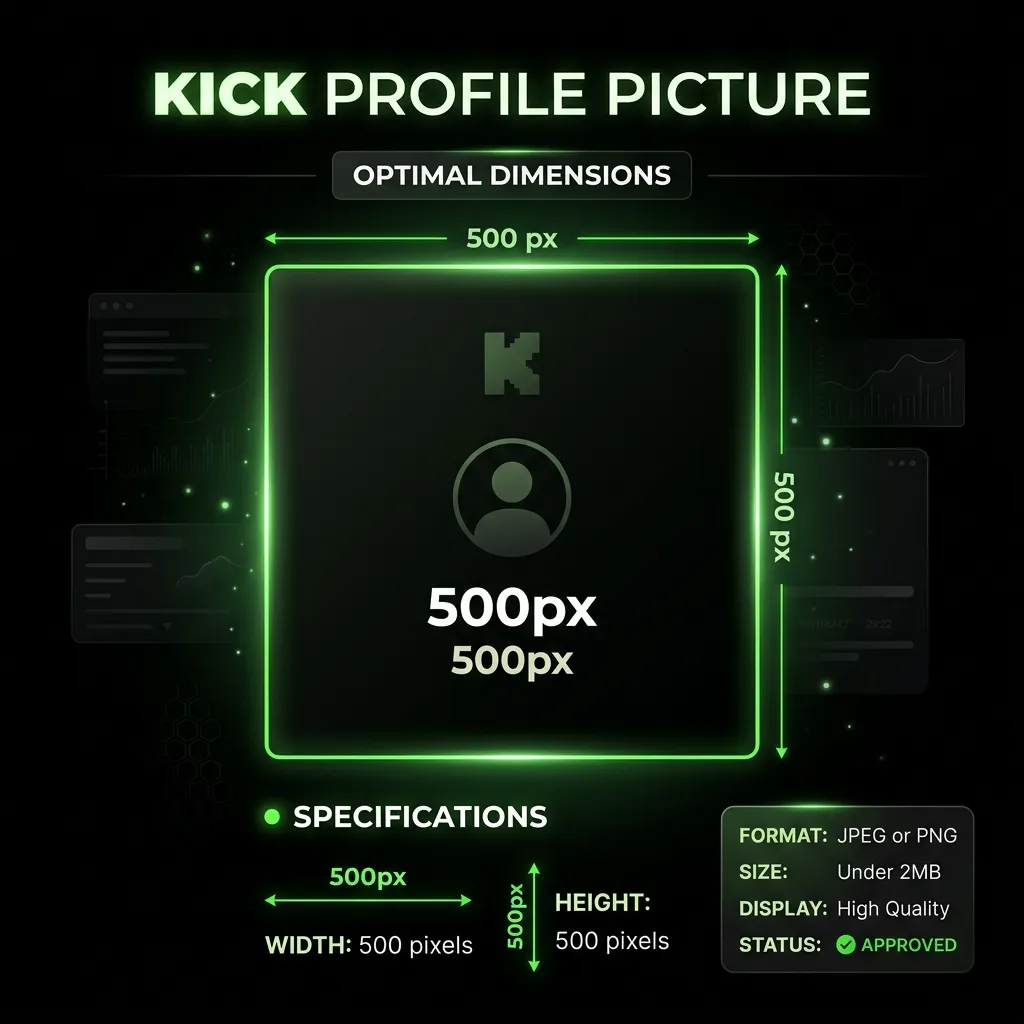
While the Aspect Ratio Cropper fixes the physical shape of your canvas, it does not guarantee the file meets the specific platform size limits (like 112x112 for Twitch or 500x500 for Kick). It is simply step one of a two-step professional workflow.
The Two-Step Emote Workflow
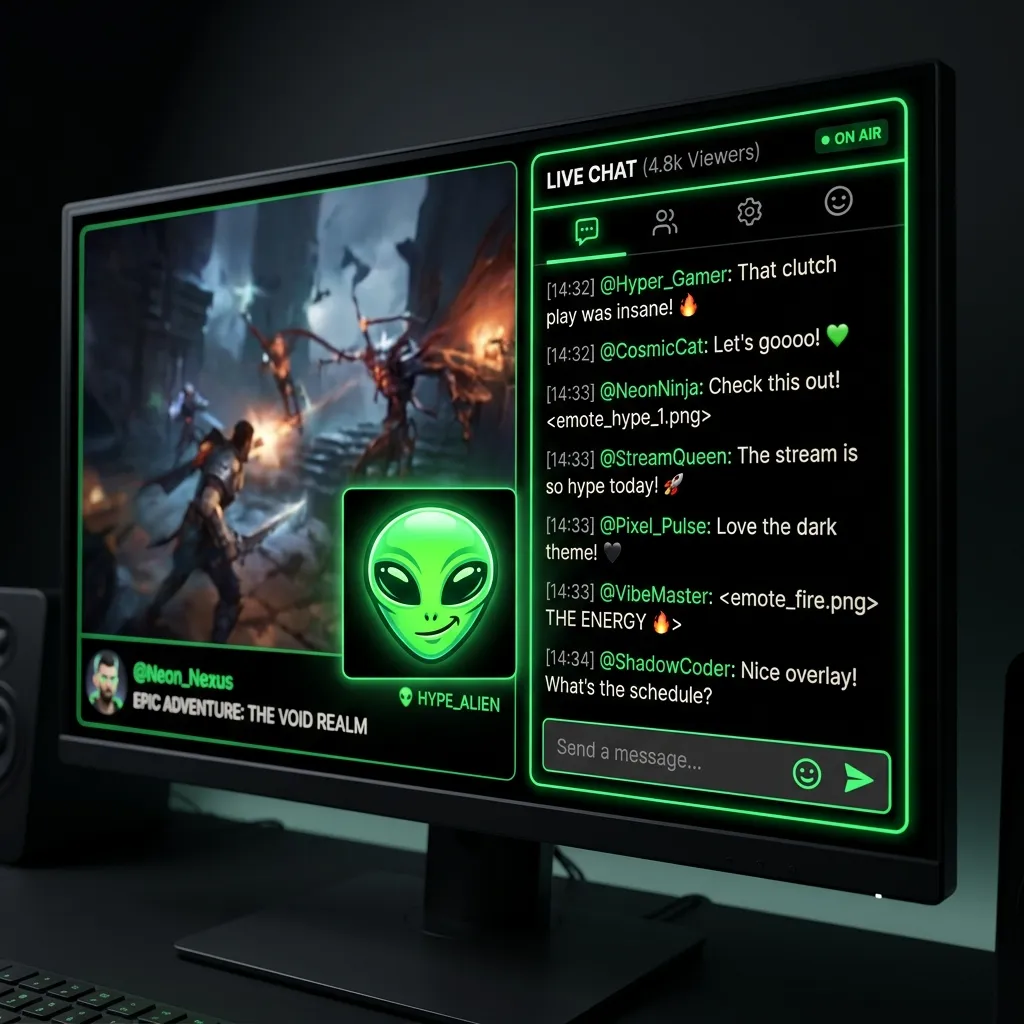
For the absolute highest quality results, professional artists employ a strict two-step pipeline. First, they drop their raw, uneven high-resolution art into the Aspect Ratio Cropper. This generates a massive, perfect square (e.g., 2000x2000).
Second, they take that perfect square and drop it into a dedicated scaling tool, such as our Twitch Emote Resizer or our Kick Emote Resizer. Because the file is already a perfect mathematical square, the downscaling algorithms can operate flawlessly, producing the sharpest, most vibrant final asset possible.
Custom Background Colors vs Transparency
While transparent padding is the default and most popular use case for our tool, our advanced Aspect Ratio Cropper also allows you to fill the padded space with custom solid colors. This is highly useful for specific branding scenarios.
Creating App Icons and Profile Pictures
If you are formatting a logo to be used as a Twitter, Instagram, or YouTube Profile Picture (PFP), platforms often struggle with transparent PNGs, rendering the empty space as stark white or pitch black depending on the user's browser theme.
Instead of using transparency, you can use the Aspect Ratio Cropper to pad the logo with a specific hex code color (like your brand's signature dark blue or neon purple). This creates a striking, solid-color square profile picture that perfectly frames your logo and guarantees consistent branding regardless of the social media platform's default CSS theme.
Step-by-Step Guide to Using the Aspect Ratio Cropper
Using our proprietary Aspect Ratio Cropper is incredibly straightforward. We have eliminated all the confusing technical jargon and layers found in complex software to provide a seamless, magical, one-click experience.
Step 1: Uploading Your Uneven Image
Simply drag and drop your raw, awkwardly sized artwork directly into the Aspect Ratio Cropper upload box at the very top of this page. The system will immediately parse the dimensions and display the uneven width and height data.
Step 2: Selecting Your Padding Style
Choose whether you want the newly created square space to be perfectly transparent (highly recommended for all chat emotes, badges, and stickers) or a solid color (recommended for profile pictures and social media avatars). The Aspect Ratio Cropper will instantly update the preview window.
Step 3: Downloading Your Perfect Square
Click the download button, and you will immediately receive the perfectly squared version. It is optimally formatted and completely ready to either be directly uploaded to a platform or passed into one of our resizing utilities for final dimension crunching.
Frequently Asked Questions About the Aspect Ratio Cropper
Is the Aspect Ratio Cropper completely free to use?
Yes, our Aspect Ratio Cropper is 100% free forever. There are absolutely no annoying paywalls, no monthly premium subscriptions required, and we will never add ugly watermarks to your finalized files. It is a utility built entirely for the creator community to solve frustrating technical roadblocks.
Does the cropper compress or reduce the quality of my original image?
Absolutely not. The Aspect Ratio Cropper is strictly a non-destructive canvas manipulation tool. It does not alter, blur, or compress a single pixel of your original artwork. It simply builds a larger box around the existing data, ensuring 100% visual fidelity is maintained.
Are my private images stolen, viewed, or saved by corporate servers?
No. Absolute privacy is our core foundational feature. The Aspect Ratio Cropper processes your artwork strictly on your local device hardware using your own CPU and RAM. We literally do not possess a backend database or remote server infrastructure to save your files to. Once you close the tab, your data vanishes instantly. You are completely secure.